Sicheres Banking für dein Business
Sichere deine Unternehmensfinanzen mit bunqs innovativer Sicherheitstechnologie. Ob fortschrittliche Verschlüsselung oder Echtzeit-Betrugserkennung: Alles ist darauf ausgerichtet, dein Geld zu schützen, damit du dich voll auf dein Business konzentrieren kannst.
Sicheres Banking für dein Business
Sichere deine Unternehmensfinanzen mit bunqs innovativer Sicherheitstechnologie. Ob fortschrittliche Verschlüsselung oder Echtzeit-Betrugserkennung: Alles ist darauf ausgerichtet, dein Geld zu schützen, damit du dich voll auf dein Business konzentrieren kannst.
Sicheres Banking für dein Business
Sichere deine Unternehmensfinanzen mit bunqs innovativer Sicherheitstechnologie. Ob fortschrittliche Verschlüsselung oder Echtzeit-Betrugserkennung: Alles ist darauf ausgerichtet, dein Geld zu schützen, damit du dich voll auf dein Business konzentrieren kannst.
Bis zu 100.000 € abgesichert
Dein Geld ist durch die niederländische Einlagensicherung (DGS) geschützt.
Biometrische ID
Schütze dein bunq-Konto mit Gesichtserkennung oder Fingerabdruck.
Zwei-Faktor-Authentisierung
Bestätige deine Transaktionen in der App.
Wechselnder CVC
Personalisiere deine CVC-Einstellungen ganz einfach.
Push-Benachrichtigungen
Erhalte Echtzeit-Updates, wenn sich dein Geld bewegt.
24/7 Support
Support in deiner Sprache, wann immer du ihn brauchst
Bis zu 100.000 € abgesichert
Dein Geld ist durch die niederländische Einlagensicherung (DGS) geschützt.
Biometrische ID
Schütze dein bunq-Konto mit Gesichtserkennung oder Fingerabdruck.
Zwei-Faktor-Authentisierung
Bestätige deine Transaktionen in der App.
Wechselnder CVC
Personalisiere deine CVC-Einstellungen ganz einfach.
Push-Benachrichtigungen
Erhalte Echtzeit-Updates, wenn sich dein Geld bewegt.
24/7 Support
Support in deiner Sprache, wann immer du ihn brauchst
Bis zu 100.000 € abgesichert
Dein Geld ist durch die niederländische Einlagensicherung (DGS) geschützt.
Biometrische ID
Schütze dein bunq-Konto mit Gesichtserkennung oder Fingerabdruck.
Zwei-Faktor-Authentisierung
Bestätige deine Transaktionen in der App.
Wechselnder CVC
Personalisiere deine CVC-Einstellungen ganz einfach.
Push-Benachrichtigungen
Erhalte Echtzeit-Updates, wenn sich dein Geld bewegt.
24/7 Support
Support in deiner Sprache, wann immer du ihn brauchst

Einlagensicherung
Dank unserer europäischen Banklizenz von der Niederländischen Zentralbank (DNB) sind alle Einlagen von verifizierten Business-Nutzern automatisch bis zu 100.000€ durch die Niederländische Einlagensicherung (DGS) abgesichert. Ganz egal, was passiert – dein Geld bleibt sicher und zugänglich.
Einlagensicherung
Dank unserer europäischen Banklizenz von der Niederländischen Zentralbank (DNB) sind alle Einlagen von verifizierten Business-Nutzern automatisch bis zu 100.000€ durch die Niederländische Einlagensicherung (DGS) abgesichert. Ganz egal, was passiert – dein Geld bleibt sicher und zugänglich.
Einlagensicherung
Dank unserer europäischen Banklizenz von der Niederländischen Zentralbank (DNB) sind alle Einlagen von verifizierten Business-Nutzern automatisch bis zu 100.000€ durch die Niederländische Einlagensicherung (DGS) abgesichert. Ganz egal, was passiert – dein Geld bleibt sicher und zugänglich.

Biometrische ID
Sichere dein bunq Geschäftskonto mit Gesichtserkennung oder Fingerabdruck ab. Aktiviere diese Funktion, damit nur du auf dein Konto zugreifen und Zahlungen freigeben kannst.
Biometrische ID
Sichere dein bunq Geschäftskonto mit Gesichtserkennung oder Fingerabdruck ab. Aktiviere diese Funktion, damit nur du auf dein Konto zugreifen und Zahlungen freigeben kannst.
Biometrische ID
Sichere dein bunq Geschäftskonto mit Gesichtserkennung oder Fingerabdruck ab. Aktiviere diese Funktion, damit nur du auf dein Konto zugreifen und Zahlungen freigeben kannst.

Zwei-Faktor-Authentisierung
Wir überprüfen immer jede Zahlung, um dein Geld zu schützen. Jedes Mal, wenn deine Daten online verwendet werden, erhältst du sofort eine Push-Benachrichtigung, damit du die Kontrolle über deine finanzielle Sicherheit behältst.
Zwei-Faktor-Authentisierung
Wir überprüfen immer jede Zahlung, um dein Geld zu schützen. Jedes Mal, wenn deine Daten online verwendet werden, erhältst du sofort eine Push-Benachrichtigung, damit du die Kontrolle über deine finanzielle Sicherheit behältst.
Zwei-Faktor-Authentisierung
Wir überprüfen immer jede Zahlung, um dein Geld zu schützen. Jedes Mal, wenn deine Daten online verwendet werden, erhältst du sofort eine Push-Benachrichtigung, damit du die Kontrolle über deine finanzielle Sicherheit behältst.

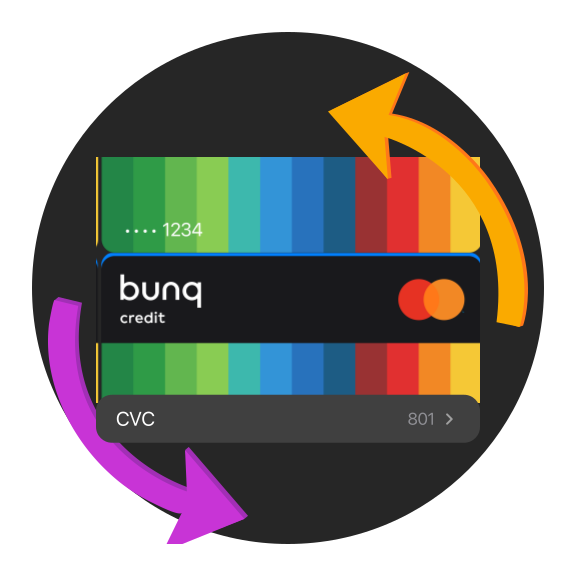
Wechselnder CVC
Behalte die Kontrolle über deine finanzielle Sicherheit mit wechselnden CVC-Codes. Im Gegensatz zu statischen CVCs, die anfällig für Phishing, Skimming und Datenlecks sein können, bieten sie eine sicherere Möglichkeit, dein Geld zu schützen. Entscheide dich dafür, manuell einen CVC zu erstellen, der nie abläuft, oder lass ihn automatisch aktualisieren für noch mehr Sicherheit.
Wechselnder CVC
Behalte die Kontrolle über deine finanzielle Sicherheit mit wechselnden CVC-Codes. Im Gegensatz zu statischen CVCs, die anfällig für Phishing, Skimming und Datenlecks sein können, bieten sie eine sicherere Möglichkeit, dein Geld zu schützen. Entscheide dich dafür, manuell einen CVC zu erstellen, der nie abläuft, oder lass ihn automatisch aktualisieren für noch mehr Sicherheit.
Wechselnder CVC
Behalte die Kontrolle über deine finanzielle Sicherheit mit wechselnden CVC-Codes. Im Gegensatz zu statischen CVCs, die anfällig für Phishing, Skimming und Datenlecks sein können, bieten sie eine sicherere Möglichkeit, dein Geld zu schützen. Entscheide dich dafür, manuell einen CVC zu erstellen, der nie abläuft, oder lass ihn automatisch aktualisieren für noch mehr Sicherheit.

Push-Benachrichtigungen
Behalte deine Finanzen mit Push-Benachrichtigungen im Griff. Du wirst sofort benachrichtigt, wenn eine Zahlung eingeht oder ausgeht, damit dein Geld geschützt bleibt.
Push-Benachrichtigungen
Behalte deine Finanzen mit Push-Benachrichtigungen im Griff. Du wirst sofort benachrichtigt, wenn eine Zahlung eingeht oder ausgeht, damit dein Geld geschützt bleibt.
Push-Benachrichtigungen
Behalte deine Finanzen mit Push-Benachrichtigungen im Griff. Du wirst sofort benachrichtigt, wenn eine Zahlung eingeht oder ausgeht, damit dein Geld geschützt bleibt.

24/7 Support
Erhalte 24/7 Support, wann immer du ihn brauchst. Kontaktiere uns über den sicheren In-App-Chat, per E-Mail oder über unsere SOS-Hotline für dringende Probleme wie Kartenblockierung oder Kontozugriff. Egal woher du kommst, wir sprechen deine Sprache.
24/7 Support
Erhalte 24/7 Support, wann immer du ihn brauchst. Kontaktiere uns über den sicheren In-App-Chat, per E-Mail oder über unsere SOS-Hotline für dringende Probleme wie Kartenblockierung oder Kontozugriff. Egal woher du kommst, wir sprechen deine Sprache.
24/7 Support
Erhalte 24/7 Support, wann immer du ihn brauchst. Kontaktiere uns über den sicheren In-App-Chat, per E-Mail oder über unsere SOS-Hotline für dringende Probleme wie Kartenblockierung oder Kontozugriff. Egal woher du kommst, wir sprechen deine Sprache.
Lokaler Kartenschutz
Halte deine Karte sicher durch standortbasierte Sicherheit. Sie funktioniert nur dort, wo du bist, und gibt dir so extra Schutz und ein gutes Gefühl.
Lokaler Kartenschutz
Halte deine Karte sicher durch standortbasierte Sicherheit. Sie funktioniert nur dort, wo du bist, und gibt dir so extra Schutz und ein gutes Gefühl.
Lokaler Kartenschutz
Halte deine Karte sicher durch standortbasierte Sicherheit. Sie funktioniert nur dort, wo du bist, und gibt dir so extra Schutz und ein gutes Gefühl.

Sperre deine Karte direkt in der App
Wenn du deine Karte verlierst oder etwas Unerwartetes passiert, kannst du deine Karte jederzeit in der bunq App vorübergehend einfrieren oder dauerhaft sperren. Volle Kontrolle, wann immer du sie brauchst – mit nur ein paar Klicks!
Sperre deine Karte direkt in der App
Wenn du deine Karte verlierst oder etwas Unerwartetes passiert, kannst du deine Karte jederzeit in der bunq App vorübergehend einfrieren oder dauerhaft sperren. Volle Kontrolle, wann immer du sie brauchst – mit nur ein paar Klicks!
Sperre deine Karte direkt in der App
Wenn du deine Karte verlierst oder etwas Unerwartetes passiert, kannst du deine Karte jederzeit in der bunq App vorübergehend einfrieren oder dauerhaft sperren. Volle Kontrolle, wann immer du sie brauchst – mit nur ein paar Klicks!
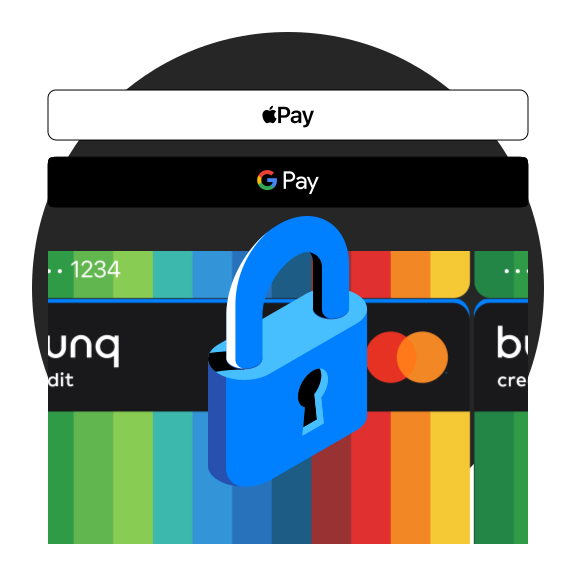
Bleib sicher vor Apple Pay und Google Pay Betrügereien
Fügst du deine bunq-Karte zu Apple Pay oder Google Pay außerhalb der bunq-App hinzu? Du brauchst zwei Sicherheitssteps: einen einmaligen SMS-Code und eine Freigabe in der bunq-App. Selbst wenn jemand deinen SMS-Code bekommt, kann er deine Karte nicht hinzufügen – nur du kannst sie freigeben.
Bleib sicher vor Apple Pay und Google Pay Betrügereien
Fügst du deine bunq-Karte zu Apple Pay oder Google Pay außerhalb der bunq-App hinzu? Du brauchst zwei Sicherheitssteps: einen einmaligen SMS-Code und eine Freigabe in der bunq-App. Selbst wenn jemand deinen SMS-Code bekommt, kann er deine Karte nicht hinzufügen – nur du kannst sie freigeben.
Bleib sicher vor Apple Pay und Google Pay Betrügereien
Fügst du deine bunq-Karte zu Apple Pay oder Google Pay außerhalb der bunq-App hinzu? Du brauchst zwei Sicherheitssteps: einen einmaligen SMS-Code und eine Freigabe in der bunq-App. Selbst wenn jemand deinen SMS-Code bekommt, kann er deine Karte nicht hinzufügen – nur du kannst sie freigeben.

Volledige controle en overzicht met Medeoprichter Toegang
Geef je team volledige controle met Medeoprichter Toegang. Beheer bedrijfsrekeningen, voeg werknemers toe of verwijder ze, en blijf voldoen aan regelgeving met ingebouwde beveiligingen—direct vanuit de bunq app.
Volledige controle en overzicht met Medeoprichter Toegang
Geef je team volledige controle met Medeoprichter Toegang. Beheer bedrijfsrekeningen, voeg werknemers toe of verwijder ze, en blijf voldoen aan regelgeving met ingebouwde beveiligingen—direct vanuit de bunq app.
Volledige controle en overzicht met Medeoprichter Toegang
Geef je team volledige controle met Medeoprichter Toegang. Beheer bedrijfsrekeningen, voeg werknemers toe of verwijder ze, en blijf voldoen aan regelgeving met ingebouwde beveiligingen—direct vanuit de bunq app.
iDIN
Verifiziere deine Identität sicher mit iDIN. Teile ganz einfach deine Daten mit Behörden und anderen Unternehmen, direkt in der bunq-App.
iDIN
Verifiziere deine Identität sicher mit iDIN. Teile ganz einfach deine Daten mit Behörden und anderen Unternehmen, direkt in der bunq-App.
iDIN
Verifiziere deine Identität sicher mit iDIN. Teile ganz einfach deine Daten mit Behörden und anderen Unternehmen, direkt in der bunq-App.

Millionen Nutzer:innen vertrauen bunq
Schließ dich über 20 Millionen Nutzer:innen an, die bunq nutzen
Bis zu 100.000 € abgesichert
Dein Geld ist durch die niederländische Einlagensicherung (DGS) geschützt.
Rückerstattungen bei Kartenzahlungen
Dein Geld ist geschützt, falls etwas nicht läuft wie geplant.
Echtzeit-Überweisungen
Sende und empfange Geld sofort, ohne zu warten.
24/7 Support
Sofortiger Support in deiner Sprache, wann immer du es brauchst.
Millionen Nutzer:innen vertrauen bunq
Schließ dich über 20 Millionen Nutzer:innen an, die bunq nutzen
Bis zu 100.000 € abgesichert
Dein Geld ist durch die niederländische Einlagensicherung (DGS) geschützt.
Rückerstattungen bei Kartenzahlungen
Dein Geld ist geschützt, falls etwas nicht läuft wie geplant.
Echtzeit-Überweisungen
Sende und empfange Geld sofort, ohne zu warten.
24/7 Support
Sofortiger Support in deiner Sprache, wann immer du es brauchst.
Millionen Nutzer:innen vertrauen bunq
Schließ dich über 20 Millionen Nutzer:innen an, die bunq nutzen
Bis zu 100.000 € abgesichert
Dein Geld ist durch die niederländische Einlagensicherung (DGS) geschützt.
Rückerstattungen bei Kartenzahlungen
Dein Geld ist geschützt, falls etwas nicht läuft wie geplant.
Echtzeit-Überweisungen
Sende und empfange Geld sofort, ohne zu warten.
24/7 Support
Sofortiger Support in deiner Sprache, wann immer du es brauchst.
Such dir dein Geschäftskonto aus
Auf der Suche nach einem neuen Geschäftskonto? Probier dein Business-Konto mit einem 30-Tage-Probeabo kostenlos aus
" height="48px" id="rUafycdLK" width="48px"/><path d="M 18.768 0.334 C 18.571 0.119 18.292 -0.002 18 0 L 6 0 C 5.703 0 5.422 0.123 5.232 0.334 L 0.232 5.9 C -0.062 6.218 -0.078 6.704 0.193 7.042 L 11.193 20.956 C 11.383 21.193 11.682 21.334 12 21.334 C 12.318 21.334 12.618 21.194 12.807 20.956 L 23.807 7.042 C 24.079 6.704 24.062 6.218 23.768 5.9 Z M 19 6.494 C 19 7.006 18.562 7.421 18.022 7.421 L 5.978 7.421 C 5.438 7.421 5 7.006 5 6.493 C 5 5.981 5.438 5.566 5.978 5.566 L 18.022 5.566 C 18.562 5.566 19 5.981 19 6.493 Z" fill="rgb(0, 191, 255)" height="21.33402649271921px" id="ZyJ8kfYPu" transform="translate(12 13.333)" width="24.00032750369086px"/></g><path d="M 23.5 0 C 36.479 0 47 10.521 47 23.5 C 47 36.479 36.479 47 23.5 47 C 10.521 47 0 36.479 0 23.5 C 0 10.521 10.521 0 23.5 0 Z" fill="transparent" height="47px" id="xUppOXuMm" stroke-dasharray="" stroke-linecap="butt" stroke-linejoin="miter" stroke-miterlimit="10" stroke-width="1" stroke="rgb(0, 191, 255)" transform="translate(0.5 0.5)" width="47px"/></g></svg>)
bunq Free Business
Kostenlos für Einzelunternehmer:innen
Das Geschäftskonto, das dir den Start erleichtert.
" height="48px" id="goKrXnskQ" width="48px"/><path d="M 3.789 0 L 4.754 2.825 L 7.579 3.79 L 4.754 4.754 L 3.79 7.579 L 2.825 4.754 L 0 3.79 L 2.825 2.825 L 3.79 0 Z" fill="rgb(0, 255, 213)" height="7.578999999999999px" id="mJuKVlYPP" transform="translate(28.421 13.263)" width="7.5789999999999935px"/><path d="M 16.217 1.929 C 15.962 2.017 15.791 2.257 15.791 2.527 C 15.791 2.796 15.962 3.036 16.217 3.124 L 18.748 3.989 L 19.613 6.52 C 19.7 6.776 19.94 6.948 20.211 6.948 C 20.481 6.948 20.721 6.776 20.809 6.52 L 21.509 4.468 L 22.517 5.589 C 22.795 5.891 22.811 6.351 22.554 6.671 L 12.133 19.853 C 11.945 20.082 11.664 20.214 11.368 20.211 C 11.072 20.213 10.791 20.082 10.603 19.853 L 0.183 6.671 C -0.074 6.351 -0.059 5.891 0.22 5.589 L 4.957 0.317 C 5.143 0.113 5.407 -0.002 5.684 0 L 17.053 0 C 17.329 -0.002 17.593 0.113 17.78 0.317 L 18.522 1.142 Z M 17.073 7.031 C 17.585 7.031 18 6.637 18 6.151 C 18 5.666 17.585 5.273 17.073 5.273 L 5.663 5.273 C 5.152 5.273 4.737 5.666 4.737 6.152 C 4.737 6.637 5.152 7.031 5.664 7.031 Z" fill="rgb(0, 255, 213)" height="20.21106632611442px" id="mB_TATqEh" transform="translate(12 14.526)" width="22.73636437406164px"/><path d="M 2.559 0 L 4.605 2.276 L 3.789 4.663 L 2.825 1.838 L 0 0.874 L 2.56 0 Z" fill="rgb(0, 255, 213)" height="4.663px" id="Hhuulheq0" transform="translate(28.421 16.179)" width="4.605px"/></g><path d="M 23.5 0 C 36.479 0 47 10.521 47 23.5 C 47 36.479 36.479 47 23.5 47 C 10.521 47 0 36.479 0 23.5 C 0 10.521 10.521 0 23.5 0 Z" fill="transparent" height="47px" id="COSOUy_EF" stroke-dasharray="" stroke-linecap="butt" stroke-linejoin="miter" stroke-miterlimit="10" stroke-width="1" stroke="rgb(0, 255, 213)" transform="translate(0.5 0.5)" width="47px"/></g></svg>)
bunq Core Business
7,99€/Monat
Alles, was du brauchst, um dein Unternehmen zu führen.
" height="48px" id="cS9HsS6DE" width="48px"/><path d="M 17.684 0 L 18.649 2.825 L 21.474 3.79 L 18.649 4.754 L 17.685 7.579 L 16.72 4.754 L 13.895 3.79 L 16.72 2.825 L 17.685 0 Z M 3.79 11.369 L 4.754 14.193 L 7.579 15.158 L 4.754 16.123 L 3.79 18.948 L 2.825 16.123 L 0 15.158 L 2.825 14.193 Z" fill="rgb(0, 128, 255)" height="18.948000434875492px" id="n7H9WrkPO" transform="translate(14.526 13.263)" width="21.474000457763673px"/><path d="M 17.78 0.316 L 18.522 1.141 L 16.217 1.928 C 15.962 2.016 15.791 2.256 15.791 2.526 C 15.791 2.795 15.962 3.035 16.217 3.123 L 18.748 3.988 L 19.613 6.519 C 19.701 6.774 19.941 6.945 20.21 6.945 C 20.48 6.945 20.72 6.774 20.808 6.519 L 21.509 4.467 L 22.517 5.588 C 22.795 5.89 22.811 6.35 22.554 6.67 L 12.133 19.853 C 11.945 20.082 11.664 20.214 11.368 20.211 C 11.072 20.214 10.791 20.082 10.604 19.853 L 7.558 16 L 7.778 15.357 L 10.309 14.493 C 10.564 14.406 10.736 14.165 10.736 13.895 C 10.736 13.625 10.564 13.384 10.309 13.297 L 7.778 12.433 L 6.914 9.901 C 6.826 9.645 6.586 9.474 6.316 9.474 C 6.045 9.474 5.805 9.645 5.718 9.901 L 4.854 12.433 L 4.763 12.464 L 0.183 6.671 C -0.074 6.351 -0.059 5.891 0.22 5.589 L 4.957 0.317 C 5.144 0.114 5.408 -0.001 5.684 0 L 17.053 0 C 17.333 0 17.6 0.116 17.78 0.317 Z M 17.074 5.272 L 5.664 5.272 C 5.152 5.272 4.737 5.665 4.737 6.15 C 4.737 6.636 5.152 7.03 5.663 7.03 L 17.073 7.03 C 17.585 7.03 18 6.636 18 6.151 C 18 5.665 17.585 5.272 17.074 5.272 Z" fill="rgb(0, 128, 255)" height="20.211061157997033px" id="DGPdqmDpe" transform="translate(12 14.527)" width="22.73636437406164px"/><path d="M 1.914 13.757 L 0 11.336 L 0.173 11.276 L 1.138 8.452 L 2.102 11.276 L 4.927 12.241 L 2.102 13.206 L 1.914 13.756 Z M 15.848 2.275 L 13.802 0 L 11.243 0.874 L 14.068 1.838 L 15.033 4.663 L 15.848 2.276 Z" fill="rgb(0, 128, 255)" height="13.756999664306637px" id="GTxBOF9ze" transform="translate(17.178 16.18)" width="15.848000030517575px"/></g><path d="M 23.5 0 C 36.479 0 47 10.521 47 23.5 C 47 36.479 36.479 47 23.5 47 C 10.521 47 0 36.479 0 23.5 C 0 10.521 10.521 0 23.5 0 Z" fill="transparent" height="47px" id="GZ3Vw2A6B" stroke-dasharray="" stroke-linecap="butt" stroke-linejoin="miter" stroke-miterlimit="10" stroke-width="1" stroke="rgb(0, 128, 255)" transform="translate(0.5 0.5)" width="47px"/></g></svg>)
bunq Pro Business
13,99€/Monat
Das Geschäftskonto, um dein Unternehmen zu expandieren.
" height="48px" id="lHnPEPL_X" width="48px"/><path d="M 20.21 0 L 21.175 2.825 L 24 3.79 L 21.175 4.754 L 20.211 7.579 L 19.246 4.754 L 16.421 3.79 L 19.246 2.825 L 20.211 0 Z M 6.316 11.369 L 7.28 14.193 L 10.105 15.158 L 7.28 16.123 L 6.316 18.948 L 5.351 16.123 L 2.526 15.158 L 5.351 14.193 Z M 2.526 1.263 L 3.169 3.147 L 5.053 3.79 L 3.169 4.433 L 2.526 6.316 L 1.883 4.433 L 0 3.79 L 1.883 3.147 Z M 21.474 13.895 L 21.795 14.836 L 22.737 15.158 L 21.795 15.48 L 21.474 16.421 L 21.152 15.48 L 20.211 15.158 L 21.152 14.836 Z M 17.684 18.947 L 18.006 19.889 L 18.947 20.211 L 18.006 20.532 L 17.684 21.474 L 17.363 20.532 L 16.421 20.211 L 17.363 19.889 L 17.684 18.948 Z" fill="rgb(255, 0, 170)" height="21.47400050354004px" id="YRmXT7CKC" transform="translate(12 13.263)" width="23.99999952697754px"/><path d="M 1.928 5.257 C 2.016 5.512 2.256 5.683 2.526 5.683 C 2.795 5.683 3.035 5.512 3.123 5.257 L 3.666 3.667 L 5.256 3.124 C 5.511 3.036 5.682 2.796 5.682 2.527 C 5.682 2.257 5.511 2.017 5.256 1.929 L 3.918 1.472 L 4.956 0.317 C 5.143 0.113 5.407 -0.002 5.683 0 L 17.052 0 C 17.328 -0.002 17.593 0.113 17.779 0.317 L 18.521 1.142 L 16.216 1.929 C 15.961 2.017 15.79 2.257 15.79 2.527 C 15.79 2.796 15.961 3.036 16.216 3.124 L 18.747 3.989 L 19.612 6.52 C 19.7 6.776 19.94 6.948 20.21 6.948 C 20.48 6.948 20.721 6.776 20.808 6.52 L 21.508 4.468 L 22.516 5.589 C 22.794 5.891 22.81 6.351 22.553 6.671 L 12.132 19.853 C 11.945 20.082 11.663 20.214 11.367 20.211 C 11.071 20.214 10.791 20.082 10.603 19.853 L 7.557 16 L 7.777 15.357 L 10.308 14.493 C 10.564 14.406 10.736 14.165 10.736 13.895 C 10.736 13.625 10.564 13.384 10.308 13.297 L 7.777 12.433 L 6.912 9.901 C 6.824 9.646 6.584 9.475 6.315 9.475 C 6.045 9.475 5.805 9.646 5.717 9.901 L 4.852 12.433 L 4.762 12.464 L 0.182 6.671 C -0.074 6.351 -0.058 5.892 0.219 5.59 L 1.539 4.12 Z M 17.072 7.03 C 17.584 7.03 17.999 6.637 17.999 6.152 C 17.999 5.666 17.584 5.273 17.072 5.273 L 5.662 5.273 C 5.151 5.273 4.736 5.666 4.736 6.152 C 4.736 6.637 5.151 7.031 5.663 7.031 L 17.073 7.031 Z" fill="rgb(255, 0, 170)" height="20.211066326114416px" id="uncG7bBPE" transform="translate(12.001 14.526)" width="22.735935725383072px"/><path d="M 0 1.928 L 1.436 0.33 L 3.029 0.874 L 1.145 1.517 L 0.502 3.4 Z M 3.154 11.337 L 5.068 13.757 L 5.256 13.207 L 8.081 12.242 L 5.256 11.277 L 4.292 8.453 L 3.327 11.277 Z M 16.956 0 L 19.002 2.276 L 18.186 4.663 L 17.222 1.838 L 14.397 0.874 L 16.957 0 Z" fill="rgb(255, 0, 170)" height="13.757000068664553px" id="aQuSfla9J" transform="translate(14.024 16.179)" width="19.002000312805176px"/></g><path d="M 23.5 0 C 36.479 0 47 10.521 47 23.5 C 47 36.479 36.479 47 23.5 47 C 10.521 47 0 36.479 0 23.5 C 0 10.521 10.521 0 23.5 0 Z" fill="transparent" height="47px" id="Ob45ZTcOG" stroke-dasharray="" stroke-linecap="butt" stroke-linejoin="miter" stroke-miterlimit="10" stroke-width="1" stroke="rgb(255, 0, 170)" transform="translate(0.5 0.5)" width="47px"/></g></svg>)
bunq Elite Business
23,99€/Monat
Das Premium-Geschäftskonto für Unternehmen ohne Grenzen.
Such dir dein Geschäftskonto aus
Auf der Suche nach einem neuen Geschäftskonto? Probier dein Business-Konto mit einem 30-Tage-Probeabo kostenlos aus
bunq Free Business
Kostenlos für Einzelunternehmer:innen
Das Geschäftskonto, das dir den Start erleichtert.
bunq Core Business
7,99 €/Monat
Alles, was du brauchst, um dein Unternehmen zu führen.
bunq Pro Business
13,99 €/Monat
Das Geschäftskonto, um dein Unternehmen zu expandieren.
bunq Elite Business
23,99 €/Monat
Das Premium-Geschäftskonto für Unternehmen ohne Grenzen.
Such dir dein Geschäftskonto aus
Auf der Suche nach einem neuen Geschäftskonto? Probier dein Business-Konto mit einem 30-Tage-Probeabo kostenlos aus
bunq Free Business
Kostenlos für Einzelunternehmer:innen
Das Geschäftskonto, das dir den Start erleichtert.
bunq Core Business
7,99 €/Monat
Alles, was du brauchst, um dein Unternehmen zu führen.
bunq Pro Business
13,99 €/Monat
Das Geschäftskonto, um dein Unternehmen zu expandieren.
bunq Elite Business
23,99 €/Monat
Das Premium-Geschäftskonto für Unternehmen ohne Grenzen.
Eröffne dein Geschäftskonto in nur 5 Minuten
Eröffne dein Geschäftskonto in nur 5 Minuten
Eröffne dein Geschäftskonto in nur 5 Minuten
Häufig gestellte Fragen
Was ist bunq?
Mit bunq erlebst du Banking ohne Stress: Egal ob Sparen, Budgetieren oder Reisen – diese digitale Bank macht's dir leicht, dich auf das Wesentliche zu konzentrieren.
Mit bunq erlebst du Banking ohne Stress: Egal ob Sparen, Budgetieren oder Reisen – diese digitale Bank macht's dir leicht, dich auf das Wesentliche zu konzentrieren.
Was brauche ich, um ein Geschäftskonto bei bunq zu eröffnen?
Um ein bunq Geschäftskonto zu eröffnen, brauchst du deine Steuer-ID, Geschäftsdaten (wie Firmenname, Rechtsform und Handelsregisternummer), ein Smartphone mit der bunq-App und eine europäische Geschäftsadresse. Der ganze Prozess ist komplett digital und dauert weniger als 5 Minuten, damit du sofort loslegen kannst.
Welche Unternehmensinformationen und Dokumente braucht man, um ein Geschäftskonto zu eröffnen?
Das Eröffnen eines Geschäftskontos bei uns ist schnell und einfach, aber es gibt ein paar Informationen, die wir brauchen, um es in nur 5 Minuten möglich zu machen. Um Folgendes werden wir dich beten:
Wir brauchen einige wichtige Details über dein Unternehmen:
Die Aktivitäten deines Unternehmens
Der Zweck des Geschäftskontos
Erwartetes Transaktionsvolumen pro Monat
Wer der UBO (wirtschaftliche Berechtigte) ist
Mitgründer des Unternehmens
Geschäftsführer des Unternehmens
Webseite des Unternehmens
Profi-Tipp: Wenn du uns die Webseite deines Unternehmens gibst, können wir den Verifizierungsprozess noch schneller abschließen!
Wie eröffne ich ein Geschäftskonto bei bunq?
Neu bei bunq? So legst du los:
Lade die bunq-App herunter
Klicke auf „Jetzt loslegen“
Wähle deine Interessen für ein Privatkonto aus und scrolle dann nach unten, um auch die Funktionen für ein Geschäftskonto auszuwählen
Gib deine persönlichen Informationen ein
Gib deine geschäftlichen Informationen ein
Identifiziere dich
Schließe die Anmeldung für dein Geschäftskonto ab, indem du die zusätzlich angeforderten geschäftlichen Informationen über die App bereitstellst
Unser KYC-Team wird deine Anmeldung prüfen und sich melden, falls wir mehr Informationen über dein Unternehmen brauchen. Wir halten dich auf dem Laufenden!
Sobald du dein bunq Geschäftskonto beantragt hast, beginnen wir mit der Verifizierung deines Kontos.
Warum brauche ich für mein Geschäftskonto ein Privatkonto?
Damit alles sicher und regelkonform bleibt, müssen wir als Bank genau wissen, wer Transaktionen durchführt.
Aus diesem Grund brauchst du ein verifiziertes Privatkonto, wenn du ein Geschäftskonto eröffnest. Dieses kannst du gleichzeitig während der Anmeldung anlegen und später nutzen, um dein Geschäftskonto reibungslos und sicher zu verwalten.
Verwandte Artikel
Entdecke unsere Blog-Beiträge mit hilfreichen Tipps und Einblicken. Erfahre, wie smartes Banking deinen Alltag erleichtert.



Verwandte Artikel
Entdecke unsere Blog-Beiträge mit hilfreichen Tipps und Einblicken. Erfahre, wie smartes Banking deinen Alltag erleichtert.
Verwandte Artikel
Entdecke unsere Blog-Beiträge mit hilfreichen Tipps und Einblicken. Erfahre, wie smartes Banking deinen Alltag erleichtert.