
" height="48px" id="rUafycdLK" width="48px"/><path d="M 18.768 0.334 C 18.571 0.119 18.292 -0.002 18 0 L 6 0 C 5.703 0 5.422 0.123 5.232 0.334 L 0.232 5.9 C -0.062 6.218 -0.078 6.704 0.193 7.042 L 11.193 20.956 C 11.383 21.193 11.682 21.334 12 21.334 C 12.318 21.334 12.618 21.194 12.807 20.956 L 23.807 7.042 C 24.079 6.704 24.062 6.218 23.768 5.9 Z M 19 6.494 C 19 7.006 18.562 7.421 18.022 7.421 L 5.978 7.421 C 5.438 7.421 5 7.006 5 6.493 C 5 5.981 5.438 5.566 5.978 5.566 L 18.022 5.566 C 18.562 5.566 19 5.981 19 6.493 Z" fill="rgb(0, 191, 255)" height="21.33402649271921px" id="ZyJ8kfYPu" transform="translate(12 13.333)" width="24.00032750369086px"/></g><path d="M 23.5 0 C 36.479 0 47 10.521 47 23.5 C 47 36.479 36.479 47 23.5 47 C 10.521 47 0 36.479 0 23.5 C 0 10.521 10.521 0 23.5 0 Z" fill="transparent" height="47px" id="xUppOXuMm" stroke-dasharray="" stroke-linecap="butt" stroke-linejoin="miter" stroke-miterlimit="10" stroke-width="1" stroke="rgb(0, 191, 255)" transform="translate(0.5 0.5)" width="47px"/></g></svg>)
" height="48px" id="goKrXnskQ" width="48px"/><path d="M 3.789 0 L 4.754 2.825 L 7.579 3.79 L 4.754 4.754 L 3.79 7.579 L 2.825 4.754 L 0 3.79 L 2.825 2.825 L 3.79 0 Z" fill="rgb(0, 255, 213)" height="7.578999999999999px" id="mJuKVlYPP" transform="translate(28.421 13.263)" width="7.5789999999999935px"/><path d="M 16.217 1.929 C 15.962 2.017 15.791 2.257 15.791 2.527 C 15.791 2.796 15.962 3.036 16.217 3.124 L 18.748 3.989 L 19.613 6.52 C 19.7 6.776 19.94 6.948 20.211 6.948 C 20.481 6.948 20.721 6.776 20.809 6.52 L 21.509 4.468 L 22.517 5.589 C 22.795 5.891 22.811 6.351 22.554 6.671 L 12.133 19.853 C 11.945 20.082 11.664 20.214 11.368 20.211 C 11.072 20.213 10.791 20.082 10.603 19.853 L 0.183 6.671 C -0.074 6.351 -0.059 5.891 0.22 5.589 L 4.957 0.317 C 5.143 0.113 5.407 -0.002 5.684 0 L 17.053 0 C 17.329 -0.002 17.593 0.113 17.78 0.317 L 18.522 1.142 Z M 17.073 7.031 C 17.585 7.031 18 6.637 18 6.151 C 18 5.666 17.585 5.273 17.073 5.273 L 5.663 5.273 C 5.152 5.273 4.737 5.666 4.737 6.152 C 4.737 6.637 5.152 7.031 5.664 7.031 Z" fill="rgb(0, 255, 213)" height="20.21106632611442px" id="mB_TATqEh" transform="translate(12 14.526)" width="22.73636437406164px"/><path d="M 2.559 0 L 4.605 2.276 L 3.789 4.663 L 2.825 1.838 L 0 0.874 L 2.56 0 Z" fill="rgb(0, 255, 213)" height="4.663px" id="Hhuulheq0" transform="translate(28.421 16.179)" width="4.605px"/></g><path d="M 23.5 0 C 36.479 0 47 10.521 47 23.5 C 47 36.479 36.479 47 23.5 47 C 10.521 47 0 36.479 0 23.5 C 0 10.521 10.521 0 23.5 0 Z" fill="transparent" height="47px" id="COSOUy_EF" stroke-dasharray="" stroke-linecap="butt" stroke-linejoin="miter" stroke-miterlimit="10" stroke-width="1" stroke="rgb(0, 255, 213)" transform="translate(0.5 0.5)" width="47px"/></g></svg>)
" height="48px" id="cS9HsS6DE" width="48px"/><path d="M 17.684 0 L 18.649 2.825 L 21.474 3.79 L 18.649 4.754 L 17.685 7.579 L 16.72 4.754 L 13.895 3.79 L 16.72 2.825 L 17.685 0 Z M 3.79 11.369 L 4.754 14.193 L 7.579 15.158 L 4.754 16.123 L 3.79 18.948 L 2.825 16.123 L 0 15.158 L 2.825 14.193 Z" fill="rgb(0, 128, 255)" height="18.948000434875492px" id="n7H9WrkPO" transform="translate(14.526 13.263)" width="21.474000457763673px"/><path d="M 17.78 0.316 L 18.522 1.141 L 16.217 1.928 C 15.962 2.016 15.791 2.256 15.791 2.526 C 15.791 2.795 15.962 3.035 16.217 3.123 L 18.748 3.988 L 19.613 6.519 C 19.701 6.774 19.941 6.945 20.21 6.945 C 20.48 6.945 20.72 6.774 20.808 6.519 L 21.509 4.467 L 22.517 5.588 C 22.795 5.89 22.811 6.35 22.554 6.67 L 12.133 19.853 C 11.945 20.082 11.664 20.214 11.368 20.211 C 11.072 20.214 10.791 20.082 10.604 19.853 L 7.558 16 L 7.778 15.357 L 10.309 14.493 C 10.564 14.406 10.736 14.165 10.736 13.895 C 10.736 13.625 10.564 13.384 10.309 13.297 L 7.778 12.433 L 6.914 9.901 C 6.826 9.645 6.586 9.474 6.316 9.474 C 6.045 9.474 5.805 9.645 5.718 9.901 L 4.854 12.433 L 4.763 12.464 L 0.183 6.671 C -0.074 6.351 -0.059 5.891 0.22 5.589 L 4.957 0.317 C 5.144 0.114 5.408 -0.001 5.684 0 L 17.053 0 C 17.333 0 17.6 0.116 17.78 0.317 Z M 17.074 5.272 L 5.664 5.272 C 5.152 5.272 4.737 5.665 4.737 6.15 C 4.737 6.636 5.152 7.03 5.663 7.03 L 17.073 7.03 C 17.585 7.03 18 6.636 18 6.151 C 18 5.665 17.585 5.272 17.074 5.272 Z" fill="rgb(0, 128, 255)" height="20.211061157997033px" id="DGPdqmDpe" transform="translate(12 14.527)" width="22.73636437406164px"/><path d="M 1.914 13.757 L 0 11.336 L 0.173 11.276 L 1.138 8.452 L 2.102 11.276 L 4.927 12.241 L 2.102 13.206 L 1.914 13.756 Z M 15.848 2.275 L 13.802 0 L 11.243 0.874 L 14.068 1.838 L 15.033 4.663 L 15.848 2.276 Z" fill="rgb(0, 128, 255)" height="13.756999664306637px" id="GTxBOF9ze" transform="translate(17.178 16.18)" width="15.848000030517575px"/></g><path d="M 23.5 0 C 36.479 0 47 10.521 47 23.5 C 47 36.479 36.479 47 23.5 47 C 10.521 47 0 36.479 0 23.5 C 0 10.521 10.521 0 23.5 0 Z" fill="transparent" height="47px" id="GZ3Vw2A6B" stroke-dasharray="" stroke-linecap="butt" stroke-linejoin="miter" stroke-miterlimit="10" stroke-width="1" stroke="rgb(0, 128, 255)" transform="translate(0.5 0.5)" width="47px"/></g></svg>)
" height="48px" id="lHnPEPL_X" width="48px"/><path d="M 20.21 0 L 21.175 2.825 L 24 3.79 L 21.175 4.754 L 20.211 7.579 L 19.246 4.754 L 16.421 3.79 L 19.246 2.825 L 20.211 0 Z M 6.316 11.369 L 7.28 14.193 L 10.105 15.158 L 7.28 16.123 L 6.316 18.948 L 5.351 16.123 L 2.526 15.158 L 5.351 14.193 Z M 2.526 1.263 L 3.169 3.147 L 5.053 3.79 L 3.169 4.433 L 2.526 6.316 L 1.883 4.433 L 0 3.79 L 1.883 3.147 Z M 21.474 13.895 L 21.795 14.836 L 22.737 15.158 L 21.795 15.48 L 21.474 16.421 L 21.152 15.48 L 20.211 15.158 L 21.152 14.836 Z M 17.684 18.947 L 18.006 19.889 L 18.947 20.211 L 18.006 20.532 L 17.684 21.474 L 17.363 20.532 L 16.421 20.211 L 17.363 19.889 L 17.684 18.948 Z" fill="rgb(255, 0, 170)" height="21.47400050354004px" id="YRmXT7CKC" transform="translate(12 13.263)" width="23.99999952697754px"/><path d="M 1.928 5.257 C 2.016 5.512 2.256 5.683 2.526 5.683 C 2.795 5.683 3.035 5.512 3.123 5.257 L 3.666 3.667 L 5.256 3.124 C 5.511 3.036 5.682 2.796 5.682 2.527 C 5.682 2.257 5.511 2.017 5.256 1.929 L 3.918 1.472 L 4.956 0.317 C 5.143 0.113 5.407 -0.002 5.683 0 L 17.052 0 C 17.328 -0.002 17.593 0.113 17.779 0.317 L 18.521 1.142 L 16.216 1.929 C 15.961 2.017 15.79 2.257 15.79 2.527 C 15.79 2.796 15.961 3.036 16.216 3.124 L 18.747 3.989 L 19.612 6.52 C 19.7 6.776 19.94 6.948 20.21 6.948 C 20.48 6.948 20.721 6.776 20.808 6.52 L 21.508 4.468 L 22.516 5.589 C 22.794 5.891 22.81 6.351 22.553 6.671 L 12.132 19.853 C 11.945 20.082 11.663 20.214 11.367 20.211 C 11.071 20.214 10.791 20.082 10.603 19.853 L 7.557 16 L 7.777 15.357 L 10.308 14.493 C 10.564 14.406 10.736 14.165 10.736 13.895 C 10.736 13.625 10.564 13.384 10.308 13.297 L 7.777 12.433 L 6.912 9.901 C 6.824 9.646 6.584 9.475 6.315 9.475 C 6.045 9.475 5.805 9.646 5.717 9.901 L 4.852 12.433 L 4.762 12.464 L 0.182 6.671 C -0.074 6.351 -0.058 5.892 0.219 5.59 L 1.539 4.12 Z M 17.072 7.03 C 17.584 7.03 17.999 6.637 17.999 6.152 C 17.999 5.666 17.584 5.273 17.072 5.273 L 5.662 5.273 C 5.151 5.273 4.736 5.666 4.736 6.152 C 4.736 6.637 5.151 7.031 5.663 7.031 L 17.073 7.031 Z" fill="rgb(255, 0, 170)" height="20.211066326114416px" id="uncG7bBPE" transform="translate(12.001 14.526)" width="22.735935725383072px"/><path d="M 0 1.928 L 1.436 0.33 L 3.029 0.874 L 1.145 1.517 L 0.502 3.4 Z M 3.154 11.337 L 5.068 13.757 L 5.256 13.207 L 8.081 12.242 L 5.256 11.277 L 4.292 8.453 L 3.327 11.277 Z M 16.956 0 L 19.002 2.276 L 18.186 4.663 L 17.222 1.838 L 14.397 0.874 L 16.957 0 Z" fill="rgb(255, 0, 170)" height="13.757000068664553px" id="aQuSfla9J" transform="translate(14.024 16.179)" width="19.002000312805176px"/></g><path d="M 23.5 0 C 36.479 0 47 10.521 47 23.5 C 47 36.479 36.479 47 23.5 47 C 10.521 47 0 36.479 0 23.5 C 0 10.521 10.521 0 23.5 0 Z" fill="transparent" height="47px" id="Ob45ZTcOG" stroke-dasharray="" stroke-linecap="butt" stroke-linejoin="miter" stroke-miterlimit="10" stroke-width="1" stroke="rgb(255, 0, 170)" transform="translate(0.5 0.5)" width="47px"/></g></svg>)

Open your bank account in 5 minutes
Get started now, with just your phone and ID.
Frequently Asked Questions
How does Auto Accept work?
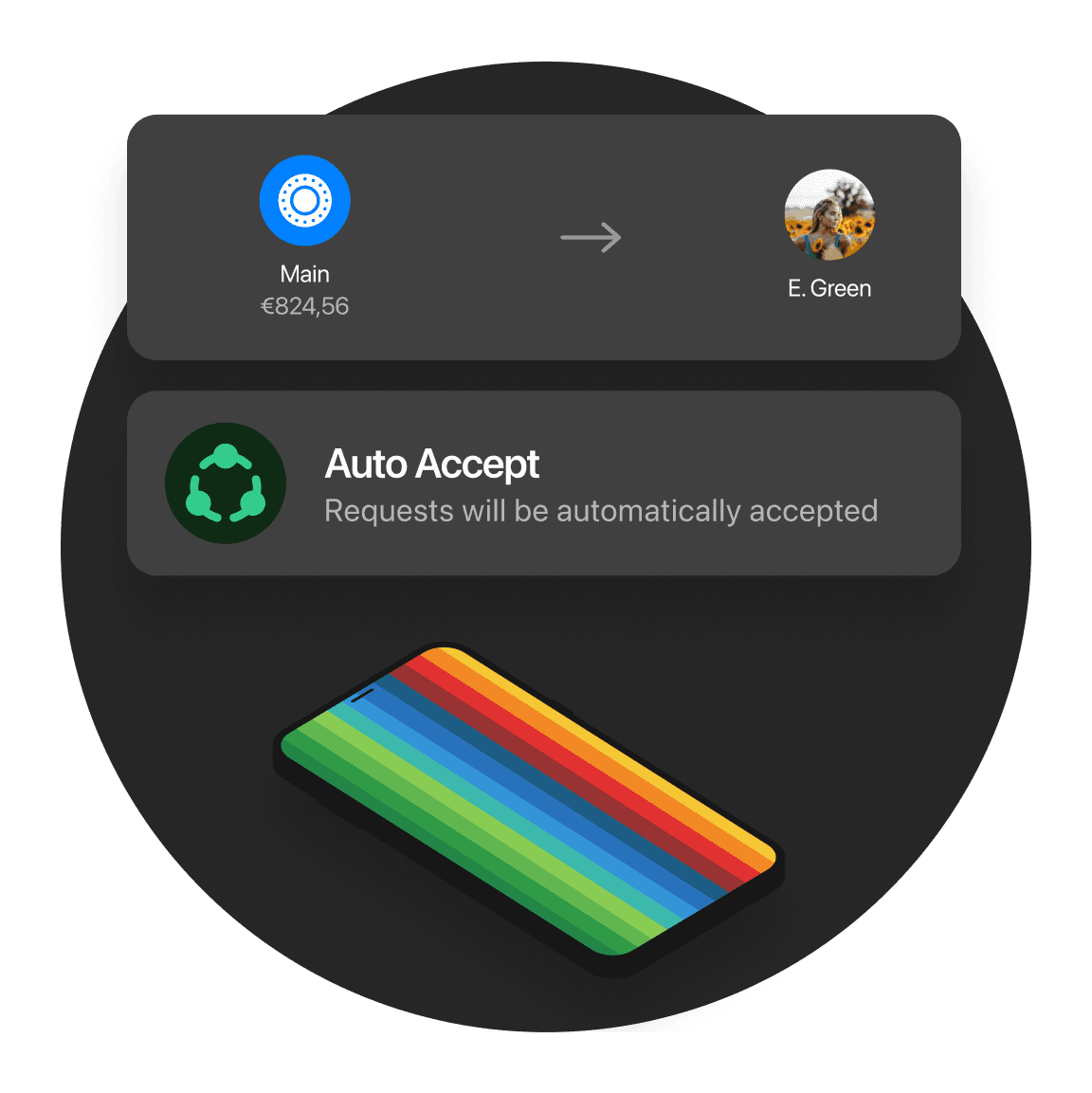
Imagine you frequently order groceries online from your favorite store. Instead of manually approving the payment every time, you enable AutoAccept for that store. Now, whenever you place an order, the payment is instantly approved, saving you time and hassle—while still keeping full control over where your money goes.
For optimum control, we always make sure that you authorize a payment before it’s done. However, the Auto Accept feature allows each one of you, regardless of your plan, to automate payments to your favorite online stores or to your best friends. You can simply enable Auto Accept and automatically approve all future payments to your selected list.
Imagine you frequently order groceries online from your favorite store. Instead of manually approving the payment every time, you enable AutoAccept for that store. Now, whenever you place an order, the payment is instantly approved, saving you time and hassle—while still keeping full control over where your money goes.
For optimum control, we always make sure that you authorize a payment before it’s done. However, the Auto Accept feature allows each one of you, regardless of your plan, to automate payments to your favorite online stores or to your best friends. You can simply enable Auto Accept and automatically approve all future payments to your selected list.
How does Auto Round Up work?
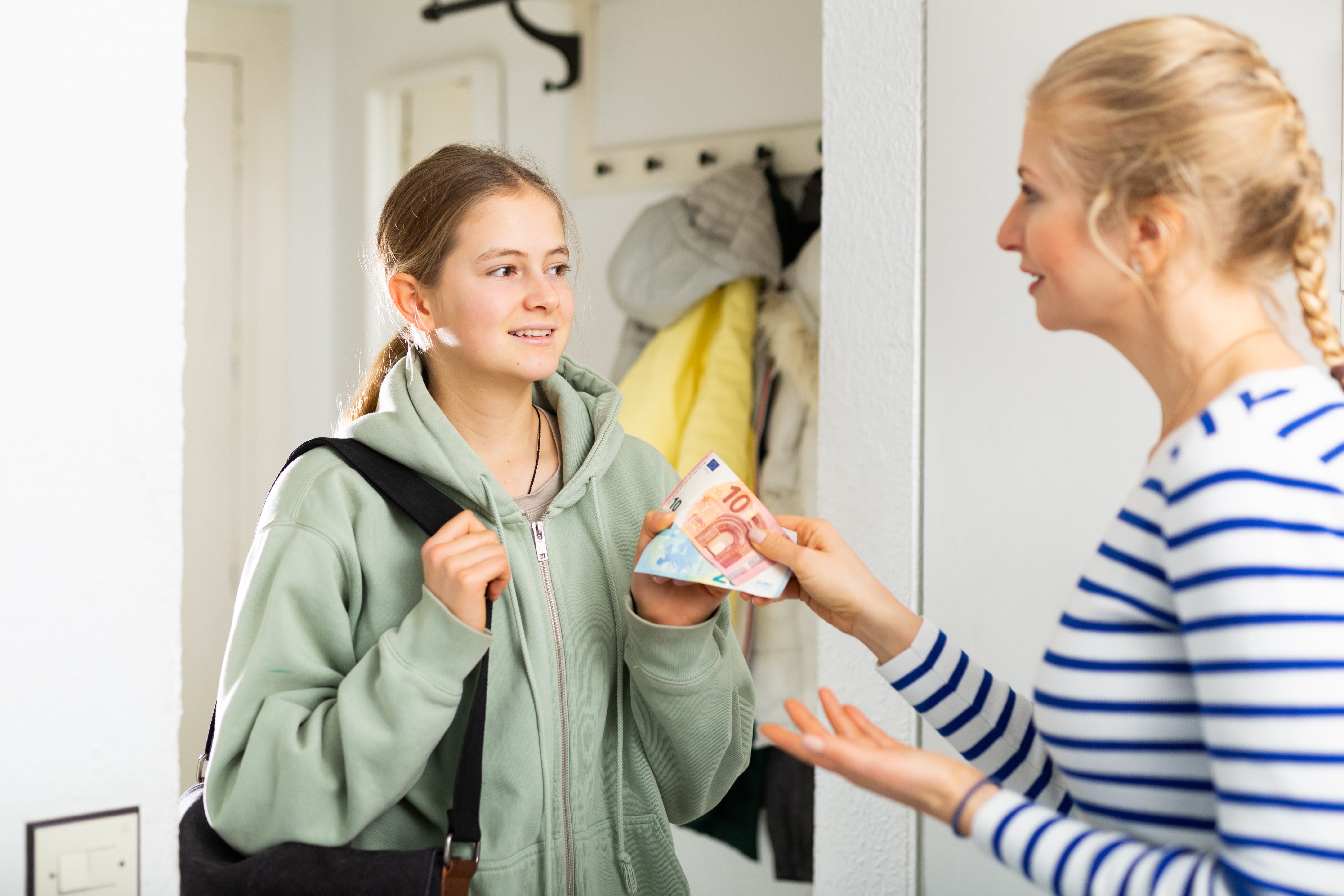
Save effortlessly every time you pay. Each payment is rounded up to the nearest euro, and the spare change goes straight to your Savings Account—or into Stocks, if you prefer.
For example, spend €5.20 on an iced latte and €0.80 is saved automatically. Want to save even faster? Round up to the nearest €2 or €5 instead.
Can I connect Zapier to my Personal account?
Only bunq Pro and bunq Elite users can connect Zapier to their Personal accounts.
What can I do with the bunq API?
Got an idea? Bring it to life.
The bunq API gives you the freedom to build creative, powerful apps and automations.
Developers can experiment, automate banking tasks, and integrate real-time financial data into apps.
Businesses can automate financial workflows, reduce human error, and scale operations with confidence.
PSD2 Partners can connect to bunq accounts to deliver smarter, faster open banking experiences to their customers.
How do I connect to Zapier?
Log in to your Zapier account or create a new account.
Navigate to Connected Accounts from the top menu bar.
Now click on Connect new account and search for "bunq"
Use your credentials to connect your bunq account to Zapier.
Once that's done you can start creating an automation! Use a pre-made Zap or create your own with the Zap Editor. Creating a Zap requires no coding knowledge and you'll be walked step-by-step through the setup.
Need inspiration? See everything that's possible to do with your bunq app and Zapier.
What is bunq?
bunq is the ultimate digital bank designed to eliminate the hassle of managing money. From effortless saving and budgeting to travel focused features, bunq empowers you to focus on what truly matters.