Rally like the new Savings Goal feature. Excited to see what new features are in store.
Pearl
Connect bunq to your accounting software and let transactions and receipts sync for you. Less manual exporting, less copy-paste, and fewer month-end surprises.

Connect bunq to your accounting software and let transactions and receipts sync for you. Less manual exporting, less copy-paste, and fewer month-end surprises.
Connect bunq to your accounting software and let transactions and receipts sync for you. Less manual exporting, less copy-paste, and fewer month-end surprises.
What bunq users say about banking with us.
Rally like the new Savings Goal feature. Excited to see what new features are in store.
Pearl
Best bank in Netherlands, by a big margin. If you are saving money for many months or even years, GBP/USD savings are 3,71% currently. They are in "Multi-Currency savings account" and work the same as EUR savings. Just an extra transaction in-between. I just wait till EUR falls a bit compared to USD, and transfer money back, if I need it. It's how I get DOUBLE the interests of some banks this way.
Leon
Great service that they're providing! Came here to appreciate for the interest rate rise today.
Yvonne
What bunq users say about banking with us.
Rally like the new Savings Goal feature. Excited to see what new features are in store.
Pearl
Best bank in Netherlands, by a big margin. If you are saving money for many months or even years, GBP/USD savings are 3,71% currently. They are in "Multi-Currency savings account" and work the same as EUR savings. Just an extra transaction in-between. I just wait till EUR falls a bit compared to USD, and transfer money back, if I need it. It's how I get DOUBLE the interests of some banks this way.
Leon
Great service that they're providing! Came here to appreciate for the interest rate rise today.
Yvonne
What bunq users say about banking with us.
Rally like the new Savings Goal feature. Excited to see what new features are in store.
Pearl
Best bank in Netherlands, by a big margin. If you are saving money for many months or even years, GBP/USD savings are 3,71% currently. They are in "Multi-Currency savings account" and work the same as EUR savings. Just an extra transaction in-between. I just wait till EUR falls a bit compared to USD, and transfer money back, if I need it. It's how I get DOUBLE the interests of some banks this way.
Leon
Great service that they're providing! Came here to appreciate for the interest rate rise today.
Yvonne
Payments and receipts from bunq appear in your accounting software automatically, so your books stay current without manual exports or copy-paste.
Payments and receipts from bunq appear in your accounting software automatically, so your books stay current without manual exports or copy-paste.
Payments and receipts from bunq appear in your accounting software automatically, so your books stay current without manual exports or copy-paste.
Link bunq to leading bookkeeping apps, so your accountant or bookkeeper can work with the software they already know.
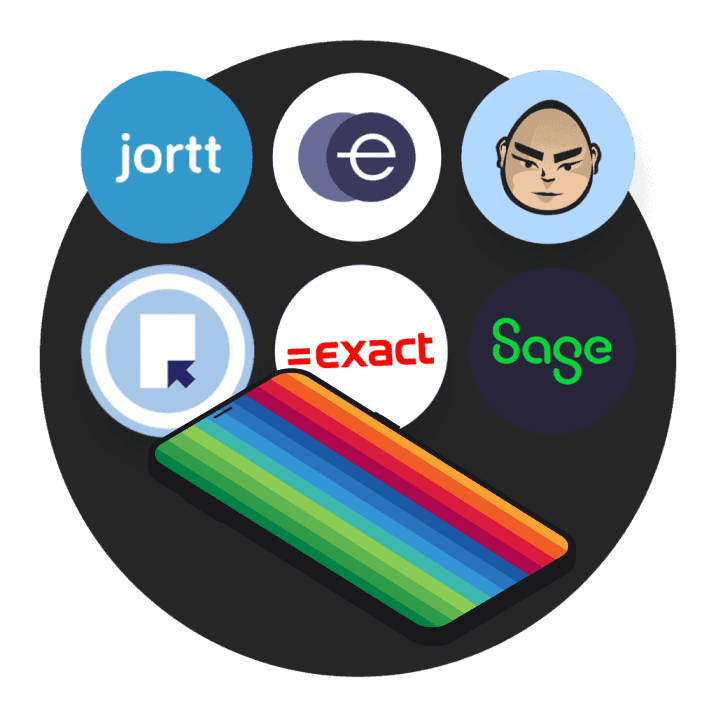
Link bunq to leading bookkeeping apps, so your accountant or bookkeeper can work with the software they already know.
Link bunq to leading bookkeeping apps, so your accountant or bookkeeper can work with the software they already know.
Connect bunq to thousands of apps with Zapier, or use the Open API to build custom flows for alerts, CRM updates, and internal tools.

Connect bunq to thousands of apps with Zapier, or use the Open API to build custom flows for alerts, CRM updates, and internal tools.
Connect bunq to thousands of apps with Zapier, or use the Open API to build custom flows for alerts, CRM updates, and internal tools.
Connect your accounting software to bunq and try it free for 30 days.
Connect your accounting software to bunq and try it free for 30 days.
Connect your accounting software to bunq and try it free for 30 days.
Try any plan free for 30 days. Cancel anytime.
€23.99
/month
Foreign Currencies, higher limits, and tools for cross-border work.
Try any plan free for 30 days. Cancel anytime.
€23.99
/month
Foreign Currencies, higher limits, and tools for cross-border work.
Try any plan free for 30 days. Cancel anytime.
€23.99
/month
Foreign Currencies, higher limits, and tools for cross-border work.
Find quick answers about supported apps, bookkeeping sync, AutoExport, Zapier, security, and the Open API.
Use the bunq banking API to automate banking, build custom apps, and connect your workflows to real bank infrastructure.
Developers, businesses, and partners use the same endpoints; licensed PSD2 providers follow a dedicated integration path in bunq Developer.
Install the community WooCommerce plugin, add your OAuth redirect URL in the bunq app, then copy your Client ID and secret into WordPress and authorize the connection.
bunq Elite and Pro users with a verified Business account can connect their store to receive payments directly.
Yes. bunq uses bank-grade security measures, including encryption and strong authentication, to protect your payments and account access.
bunq integrates with several popular accounting platforms so you can sync transactions and simplify bookkeeping. See the help article linked below for the full, up-to-date list.
In Zapier, open Connected Accounts → Connect new account → search “bunq” → authorize with your bunq login.
Then pick a template or build a Zap. No code required.
Turn on Auto Export from Profile → Accounting to send monthly statement zip files to your bookkeeper automatically, on the 1st of each month.
You choose the recipient, accounts, and whether statements are password-protected.
Find quick answers about supported apps, bookkeeping sync, AutoExport, Zapier, security, and the Open API.
Use the bunq banking API to automate banking, build custom apps, and connect your workflows to real bank infrastructure.
Developers, businesses, and partners use the same endpoints; licensed PSD2 providers follow a dedicated integration path in bunq Developer.
Install the community WooCommerce plugin, add your OAuth redirect URL in the bunq app, then copy your Client ID and secret into WordPress and authorize the connection.
bunq Elite and Pro users with a verified Business account can connect their store to receive payments directly.
Yes. bunq uses bank-grade security measures, including encryption and strong authentication, to protect your payments and account access.
bunq integrates with several popular accounting platforms so you can sync transactions and simplify bookkeeping. See the help article linked below for the full, up-to-date list.
In Zapier, open Connected Accounts → Connect new account → search “bunq” → authorize with your bunq login.
Then pick a template or build a Zap. No code required.
Turn on Auto Export from Profile → Accounting to send monthly statement zip files to your bookkeeper automatically, on the 1st of each month.
You choose the recipient, accounts, and whether statements are password-protected.
Find quick answers about supported apps, bookkeeping sync, AutoExport, Zapier, security, and the Open API.
Use the bunq banking API to automate banking, build custom apps, and connect your workflows to real bank infrastructure.
Developers, businesses, and partners use the same endpoints; licensed PSD2 providers follow a dedicated integration path in bunq Developer.
Install the community WooCommerce plugin, add your OAuth redirect URL in the bunq app, then copy your Client ID and secret into WordPress and authorize the connection.
bunq Elite and Pro users with a verified Business account can connect their store to receive payments directly.
Yes. bunq uses bank-grade security measures, including encryption and strong authentication, to protect your payments and account access.
bunq integrates with several popular accounting platforms so you can sync transactions and simplify bookkeeping. See the help article linked below for the full, up-to-date list.
In Zapier, open Connected Accounts → Connect new account → search “bunq” → authorize with your bunq login.
Then pick a template or build a Zap. No code required.
Turn on Auto Export from Profile → Accounting to send monthly statement zip files to your bookkeeper automatically, on the 1st of each month.
You choose the recipient, accounts, and whether statements are password-protected.
Start syncing transactions and receipts in a few steps.
Start syncing transactions and receipts in a few steps.
Start syncing transactions and receipts in a few steps.
Explore related guides on bookkeeping, automations, payments, and business admin.
Explore related guides on bookkeeping, automations, payments, and business admin.
Explore related guides on bookkeeping, automations, payments, and business admin.