

" height="48px" id="rUafycdLK" width="48px"/><path d="M 18.768 0.334 C 18.571 0.119 18.292 -0.002 18 0 L 6 0 C 5.703 0 5.422 0.123 5.232 0.334 L 0.232 5.9 C -0.062 6.218 -0.078 6.704 0.193 7.042 L 11.193 20.956 C 11.383 21.193 11.682 21.334 12 21.334 C 12.318 21.334 12.618 21.194 12.807 20.956 L 23.807 7.042 C 24.079 6.704 24.062 6.218 23.768 5.9 Z M 19 6.494 C 19 7.006 18.562 7.421 18.022 7.421 L 5.978 7.421 C 5.438 7.421 5 7.006 5 6.493 C 5 5.981 5.438 5.566 5.978 5.566 L 18.022 5.566 C 18.562 5.566 19 5.981 19 6.493 Z" fill="rgb(0, 191, 255)" height="21.33402649271921px" id="ZyJ8kfYPu" transform="translate(12 13.333)" width="24.00032750369086px"/></g><path d="M 23.5 0 C 36.479 0 47 10.521 47 23.5 C 47 36.479 36.479 47 23.5 47 C 10.521 47 0 36.479 0 23.5 C 0 10.521 10.521 0 23.5 0 Z" fill="transparent" height="47px" id="xUppOXuMm" stroke-dasharray="" stroke-linecap="butt" stroke-linejoin="miter" stroke-miterlimit="10" stroke-width="1" stroke="rgb(0, 191, 255)" transform="translate(0.5 0.5)" width="47px"/></g></svg>)
" height="48px" id="goKrXnskQ" width="48px"/><path d="M 3.789 0 L 4.754 2.825 L 7.579 3.79 L 4.754 4.754 L 3.79 7.579 L 2.825 4.754 L 0 3.79 L 2.825 2.825 L 3.79 0 Z" fill="rgb(0, 255, 213)" height="7.578999999999999px" id="mJuKVlYPP" transform="translate(28.421 13.263)" width="7.5789999999999935px"/><path d="M 16.217 1.929 C 15.962 2.017 15.791 2.257 15.791 2.527 C 15.791 2.796 15.962 3.036 16.217 3.124 L 18.748 3.989 L 19.613 6.52 C 19.7 6.776 19.94 6.948 20.211 6.948 C 20.481 6.948 20.721 6.776 20.809 6.52 L 21.509 4.468 L 22.517 5.589 C 22.795 5.891 22.811 6.351 22.554 6.671 L 12.133 19.853 C 11.945 20.082 11.664 20.214 11.368 20.211 C 11.072 20.213 10.791 20.082 10.603 19.853 L 0.183 6.671 C -0.074 6.351 -0.059 5.891 0.22 5.589 L 4.957 0.317 C 5.143 0.113 5.407 -0.002 5.684 0 L 17.053 0 C 17.329 -0.002 17.593 0.113 17.78 0.317 L 18.522 1.142 Z M 17.073 7.031 C 17.585 7.031 18 6.637 18 6.151 C 18 5.666 17.585 5.273 17.073 5.273 L 5.663 5.273 C 5.152 5.273 4.737 5.666 4.737 6.152 C 4.737 6.637 5.152 7.031 5.664 7.031 Z" fill="rgb(0, 255, 213)" height="20.21106632611442px" id="mB_TATqEh" transform="translate(12 14.526)" width="22.73636437406164px"/><path d="M 2.559 0 L 4.605 2.276 L 3.789 4.663 L 2.825 1.838 L 0 0.874 L 2.56 0 Z" fill="rgb(0, 255, 213)" height="4.663px" id="Hhuulheq0" transform="translate(28.421 16.179)" width="4.605px"/></g><path d="M 23.5 0 C 36.479 0 47 10.521 47 23.5 C 47 36.479 36.479 47 23.5 47 C 10.521 47 0 36.479 0 23.5 C 0 10.521 10.521 0 23.5 0 Z" fill="transparent" height="47px" id="COSOUy_EF" stroke-dasharray="" stroke-linecap="butt" stroke-linejoin="miter" stroke-miterlimit="10" stroke-width="1" stroke="rgb(0, 255, 213)" transform="translate(0.5 0.5)" width="47px"/></g></svg>)
" height="48px" id="cS9HsS6DE" width="48px"/><path d="M 17.684 0 L 18.649 2.825 L 21.474 3.79 L 18.649 4.754 L 17.685 7.579 L 16.72 4.754 L 13.895 3.79 L 16.72 2.825 L 17.685 0 Z M 3.79 11.369 L 4.754 14.193 L 7.579 15.158 L 4.754 16.123 L 3.79 18.948 L 2.825 16.123 L 0 15.158 L 2.825 14.193 Z" fill="rgb(0, 128, 255)" height="18.948000434875492px" id="n7H9WrkPO" transform="translate(14.526 13.263)" width="21.474000457763673px"/><path d="M 17.78 0.316 L 18.522 1.141 L 16.217 1.928 C 15.962 2.016 15.791 2.256 15.791 2.526 C 15.791 2.795 15.962 3.035 16.217 3.123 L 18.748 3.988 L 19.613 6.519 C 19.701 6.774 19.941 6.945 20.21 6.945 C 20.48 6.945 20.72 6.774 20.808 6.519 L 21.509 4.467 L 22.517 5.588 C 22.795 5.89 22.811 6.35 22.554 6.67 L 12.133 19.853 C 11.945 20.082 11.664 20.214 11.368 20.211 C 11.072 20.214 10.791 20.082 10.604 19.853 L 7.558 16 L 7.778 15.357 L 10.309 14.493 C 10.564 14.406 10.736 14.165 10.736 13.895 C 10.736 13.625 10.564 13.384 10.309 13.297 L 7.778 12.433 L 6.914 9.901 C 6.826 9.645 6.586 9.474 6.316 9.474 C 6.045 9.474 5.805 9.645 5.718 9.901 L 4.854 12.433 L 4.763 12.464 L 0.183 6.671 C -0.074 6.351 -0.059 5.891 0.22 5.589 L 4.957 0.317 C 5.144 0.114 5.408 -0.001 5.684 0 L 17.053 0 C 17.333 0 17.6 0.116 17.78 0.317 Z M 17.074 5.272 L 5.664 5.272 C 5.152 5.272 4.737 5.665 4.737 6.15 C 4.737 6.636 5.152 7.03 5.663 7.03 L 17.073 7.03 C 17.585 7.03 18 6.636 18 6.151 C 18 5.665 17.585 5.272 17.074 5.272 Z" fill="rgb(0, 128, 255)" height="20.211061157997033px" id="DGPdqmDpe" transform="translate(12 14.527)" width="22.73636437406164px"/><path d="M 1.914 13.757 L 0 11.336 L 0.173 11.276 L 1.138 8.452 L 2.102 11.276 L 4.927 12.241 L 2.102 13.206 L 1.914 13.756 Z M 15.848 2.275 L 13.802 0 L 11.243 0.874 L 14.068 1.838 L 15.033 4.663 L 15.848 2.276 Z" fill="rgb(0, 128, 255)" height="13.756999664306637px" id="GTxBOF9ze" transform="translate(17.178 16.18)" width="15.848000030517575px"/></g><path d="M 23.5 0 C 36.479 0 47 10.521 47 23.5 C 47 36.479 36.479 47 23.5 47 C 10.521 47 0 36.479 0 23.5 C 0 10.521 10.521 0 23.5 0 Z" fill="transparent" height="47px" id="GZ3Vw2A6B" stroke-dasharray="" stroke-linecap="butt" stroke-linejoin="miter" stroke-miterlimit="10" stroke-width="1" stroke="rgb(0, 128, 255)" transform="translate(0.5 0.5)" width="47px"/></g></svg>)
" height="48px" id="lHnPEPL_X" width="48px"/><path d="M 20.21 0 L 21.175 2.825 L 24 3.79 L 21.175 4.754 L 20.211 7.579 L 19.246 4.754 L 16.421 3.79 L 19.246 2.825 L 20.211 0 Z M 6.316 11.369 L 7.28 14.193 L 10.105 15.158 L 7.28 16.123 L 6.316 18.948 L 5.351 16.123 L 2.526 15.158 L 5.351 14.193 Z M 2.526 1.263 L 3.169 3.147 L 5.053 3.79 L 3.169 4.433 L 2.526 6.316 L 1.883 4.433 L 0 3.79 L 1.883 3.147 Z M 21.474 13.895 L 21.795 14.836 L 22.737 15.158 L 21.795 15.48 L 21.474 16.421 L 21.152 15.48 L 20.211 15.158 L 21.152 14.836 Z M 17.684 18.947 L 18.006 19.889 L 18.947 20.211 L 18.006 20.532 L 17.684 21.474 L 17.363 20.532 L 16.421 20.211 L 17.363 19.889 L 17.684 18.948 Z" fill="rgb(255, 0, 170)" height="21.47400050354004px" id="YRmXT7CKC" transform="translate(12 13.263)" width="23.99999952697754px"/><path d="M 1.928 5.257 C 2.016 5.512 2.256 5.683 2.526 5.683 C 2.795 5.683 3.035 5.512 3.123 5.257 L 3.666 3.667 L 5.256 3.124 C 5.511 3.036 5.682 2.796 5.682 2.527 C 5.682 2.257 5.511 2.017 5.256 1.929 L 3.918 1.472 L 4.956 0.317 C 5.143 0.113 5.407 -0.002 5.683 0 L 17.052 0 C 17.328 -0.002 17.593 0.113 17.779 0.317 L 18.521 1.142 L 16.216 1.929 C 15.961 2.017 15.79 2.257 15.79 2.527 C 15.79 2.796 15.961 3.036 16.216 3.124 L 18.747 3.989 L 19.612 6.52 C 19.7 6.776 19.94 6.948 20.21 6.948 C 20.48 6.948 20.721 6.776 20.808 6.52 L 21.508 4.468 L 22.516 5.589 C 22.794 5.891 22.81 6.351 22.553 6.671 L 12.132 19.853 C 11.945 20.082 11.663 20.214 11.367 20.211 C 11.071 20.214 10.791 20.082 10.603 19.853 L 7.557 16 L 7.777 15.357 L 10.308 14.493 C 10.564 14.406 10.736 14.165 10.736 13.895 C 10.736 13.625 10.564 13.384 10.308 13.297 L 7.777 12.433 L 6.912 9.901 C 6.824 9.646 6.584 9.475 6.315 9.475 C 6.045 9.475 5.805 9.646 5.717 9.901 L 4.852 12.433 L 4.762 12.464 L 0.182 6.671 C -0.074 6.351 -0.058 5.892 0.219 5.59 L 1.539 4.12 Z M 17.072 7.03 C 17.584 7.03 17.999 6.637 17.999 6.152 C 17.999 5.666 17.584 5.273 17.072 5.273 L 5.662 5.273 C 5.151 5.273 4.736 5.666 4.736 6.152 C 4.736 6.637 5.151 7.031 5.663 7.031 L 17.073 7.031 Z" fill="rgb(255, 0, 170)" height="20.211066326114416px" id="uncG7bBPE" transform="translate(12.001 14.526)" width="22.735935725383072px"/><path d="M 0 1.928 L 1.436 0.33 L 3.029 0.874 L 1.145 1.517 L 0.502 3.4 Z M 3.154 11.337 L 5.068 13.757 L 5.256 13.207 L 8.081 12.242 L 5.256 11.277 L 4.292 8.453 L 3.327 11.277 Z M 16.956 0 L 19.002 2.276 L 18.186 4.663 L 17.222 1.838 L 14.397 0.874 L 16.957 0 Z" fill="rgb(255, 0, 170)" height="13.757000068664553px" id="aQuSfla9J" transform="translate(14.024 16.179)" width="19.002000312805176px"/></g><path d="M 23.5 0 C 36.479 0 47 10.521 47 23.5 C 47 36.479 36.479 47 23.5 47 C 10.521 47 0 36.479 0 23.5 C 0 10.521 10.521 0 23.5 0 Z" fill="transparent" height="47px" id="Ob45ZTcOG" stroke-dasharray="" stroke-linecap="butt" stroke-linejoin="miter" stroke-miterlimit="10" stroke-width="1" stroke="rgb(255, 0, 170)" transform="translate(0.5 0.5)" width="47px"/></g></svg>)
Frequently Asked Questions
What is bunq Bill Pay?
bunq BillPay allows users to easily manage and pay their upcoming invoices and bills directly through the app. With BillPay, bunq customers can:
Automatically pay bills: Set up automatic payments for recurring bills, such as utilities or subscriptions, ensuring that payments are made on time.
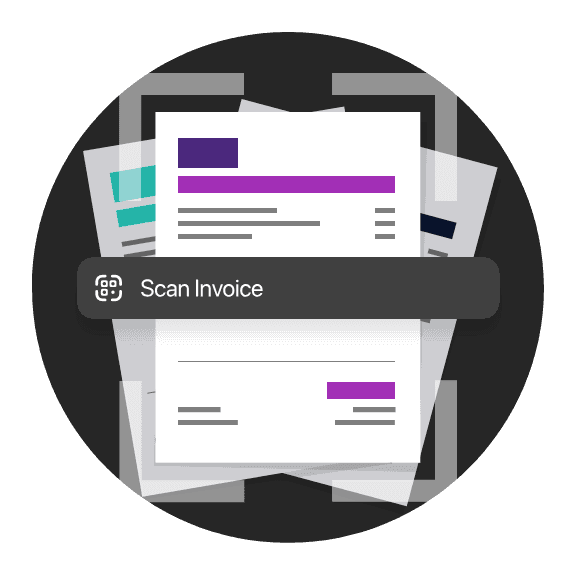
Scan and pay paper invoices: Scan paper invoices directly within the app, and bunq will automatically recognize the details (like the amount and the recipient) to simplify the payment process.
Track payment history: bunq keeps a history of all the bill payments, so your business can easily keep track of what’s been paid.
bunq BillPay allows users to easily manage and pay their upcoming invoices and bills directly through the app. With BillPay, bunq customers can:
Automatically pay bills: Set up automatic payments for recurring bills, such as utilities or subscriptions, ensuring that payments are made on time.
Scan and pay paper invoices: Scan paper invoices directly within the app, and bunq will automatically recognize the details (like the amount and the recipient) to simplify the payment process.
Track payment history: bunq keeps a history of all the bill payments, so your business can easily keep track of what’s been paid.
What accounting software does bunq integrate with?
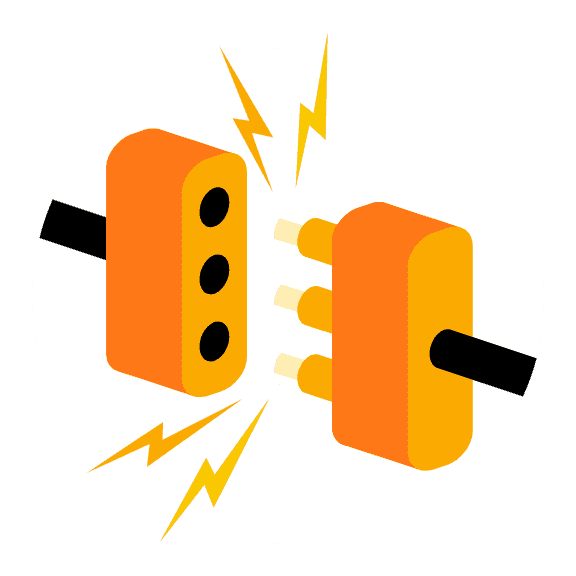
bunq integrates with several popular accounting software platforms to help users manage their finances more efficiently. These integrations allow users to sync their bunq transactions directly with their accounting software, making bookkeeping easier. View all the integrations currently supported here.
How do I pay my bills with bunq Business?
Scan or Enter Bill Details Manually
Scan paper bills: If you have a physical bill, use the app’s scanning function.
Enter details manually: You can manually input the payment details, such as the payee, amount, and reference number.
Alternatively, you can schedule the payment for a future date to make sure it’s paid on time.
Can my accountant manage my bills for me on bunq?
Yes, your accountant can manage your bills for you on bunq Business, but they would need access to your bunq Business account. You can grant your accountant access through bunq's shared access features, which allow multiple users to collaborate and manage different aspects of your business account.
What are the benefits of using bunq for bill management?
Using bunq for bill management offers a range of benefits, including automatic bill payments, easy invoice scanning, and scheduling flexibility. It centralizes all your payments in one app, making it easy to track and manage bills, while providing secure transactions and real-time notifications.
You can integrate with accounting software, keep your bills organized with multiple accounts or sub-accounts, and grant access to team members or accountants for streamlined management. Plus, it reduces paper waste by digitizing the entire process, saving time and ensuring timely payments.
Are mentioned features available in all your plans?
Not all the features mentioned for bill management are available in every bunq plan. For a complete breakdown of available features please visit the plans comparison page.