bunq Bill Pay keeps invoices in one workflow: scan or upload bills, review pre-filled payment details, and pay immediately or schedule the send date.
Tap the scan icon on your Home tab and choose Scan Invoice to get started.
Scan or upload an invoice in the bunq app and payment details fill in for you—check the amount and IBAN, then pay.
Scan or upload an invoice in the bunq app and payment details fill in for you—check the amount and IBAN, then pay.
Scan or upload an invoice in the bunq app and payment details fill in for you—check the amount and IBAN, then pay.
Scan a paper invoice or upload a file. bunq reads the IBAN and amount so you can confirm and pay without typing everything by hand.
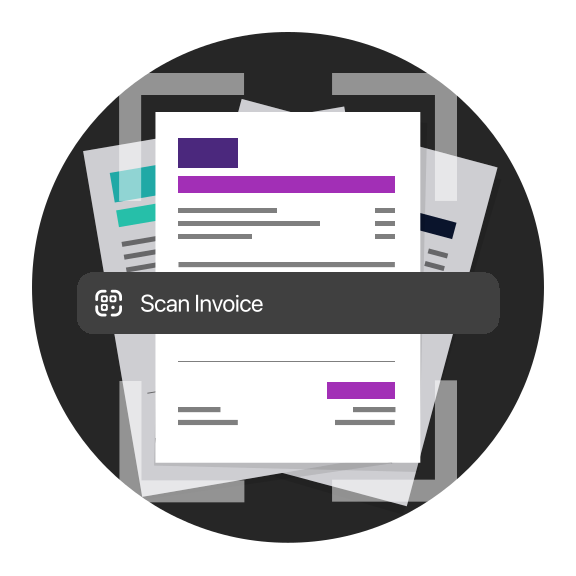
Scan a paper invoice or upload a file. bunq reads the IBAN and amount so you can confirm and pay without typing everything by hand.
Scan a paper invoice or upload a file. bunq reads the IBAN and amount so you can confirm and pay without typing everything by hand.
This number indicates the product's risk, where 1/6 indicates lower risk and 6/6 indicates higher risk.
bunq B.V. is a member of the Dutch Deposit Guarantee Fund. The maximum guaranteed amount is €100,000 per user.
This number indicates the product's risk, where 1/6 indicates lower risk and 6/6 indicates higher risk.
bunq B.V. is a member of the Dutch Deposit Guarantee Fund. The maximum guaranteed amount is €100,000 per user.
This number indicates the product's risk, where 1/6 indicates lower risk and 6/6 indicates higher risk.
bunq B.V. is a member of the Dutch Deposit Guarantee Fund. The maximum guaranteed amount is €100,000 per user.
Start simple. Upgrade when you need more savings, spending, and travel tools.
Start simple. Upgrade when you need more savings, spending, and travel tools.
Start simple. Upgrade when you need more savings, spending, and travel tools.
Scanning invoices, scheduling payments, and bunq Bill Pay.
bunq Bill Pay keeps invoices in one workflow: scan or upload bills, review pre-filled payment details, and pay immediately or schedule the send date.
Tap the scan icon on your Home tab and choose Scan Invoice to get started.
Instant Payments are included with all Personal plans at no extra cost. Business plans include a set number of free instant transfers per year; see your plan for allowances and any fee after that.
From your Home tab, tap the scan icon, choose Scan Invoice, then scan with your camera or upload a PDF. bunq pre-fills payee, amount, and reference so you can pay or schedule in one flow.
Go to your Bank Account → Settings → Scheduled payments, then create a one-off or recurring payment with amount, recipient, and date. You can edit or cancel scheduled payments from the same screen.
From Home, tap Request, enter the amount and recipient, then send. You can also share a bunq.me link or QR so anyone can pay you by iDEAL, card, or other methods on your payment page.
Open Profile → Support for 24/7 in-app chat. For urgent card or access issues, call the SOS line shown in the app (+31 20 808 3666). You can also email support@bunq.com from your linked address.
Scanning invoices, scheduling payments, and bunq Bill Pay.
bunq Bill Pay keeps invoices in one workflow: scan or upload bills, review pre-filled payment details, and pay immediately or schedule the send date.
Tap the scan icon on your Home tab and choose Scan Invoice to get started.
Instant Payments are included with all Personal plans at no extra cost. Business plans include a set number of free instant transfers per year; see your plan for allowances and any fee after that.
From your Home tab, tap the scan icon, choose Scan Invoice, then scan with your camera or upload a PDF. bunq pre-fills payee, amount, and reference so you can pay or schedule in one flow.
Go to your Bank Account → Settings → Scheduled payments, then create a one-off or recurring payment with amount, recipient, and date. You can edit or cancel scheduled payments from the same screen.
From Home, tap Request, enter the amount and recipient, then send. You can also share a bunq.me link or QR so anyone can pay you by iDEAL, card, or other methods on your payment page.
Open Profile → Support for 24/7 in-app chat. For urgent card or access issues, call the SOS line shown in the app (+31 20 808 3666). You can also email support@bunq.com from your linked address.
Scanning invoices, scheduling payments, and bunq Bill Pay.
bunq Bill Pay keeps invoices in one workflow: scan or upload bills, review pre-filled payment details, and pay immediately or schedule the send date.
Tap the scan icon on your Home tab and choose Scan Invoice to get started.
Instant Payments are included with all Personal plans at no extra cost. Business plans include a set number of free instant transfers per year; see your plan for allowances and any fee after that.
From your Home tab, tap the scan icon, choose Scan Invoice, then scan with your camera or upload a PDF. bunq pre-fills payee, amount, and reference so you can pay or schedule in one flow.
Go to your Bank Account → Settings → Scheduled payments, then create a one-off or recurring payment with amount, recipient, and date. You can edit or cancel scheduled payments from the same screen.
From Home, tap Request, enter the amount and recipient, then send. You can also share a bunq.me link or QR so anyone can pay you by iDEAL, card, or other methods on your payment page.
Open Profile → Support for 24/7 in-app chat. For urgent card or access issues, call the SOS line shown in the app (+31 20 808 3666). You can also email support@bunq.com from your linked address.
Start scanning invoices and paying bills from your phone.
Start scanning invoices and paying bills from your phone.
Start scanning invoices and paying bills from your phone.
More guides on banking with bunq.
More guides on banking with bunq.
More guides on banking with bunq.