I'm terrible with money management, so having a budget is very helpful to me.
Rory
Automate your finances with BuchhaltungsButler
Automate your finances with BuchhaltungsButler
Automate your finances with BuchhaltungsButler
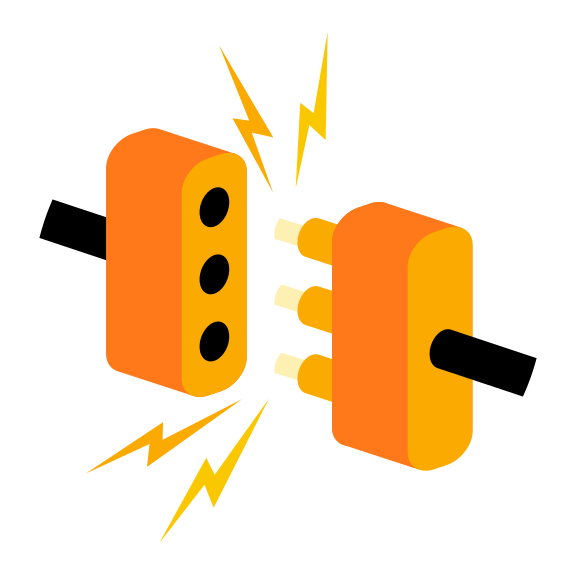
BuchhaltungsButler streamlines invoicing, expenses, and reporting online. Connect bunq for live transaction sync—each payout or incoming payment updates the ledger.
BuchhaltungsButler streamlines invoicing, expenses, and reporting online. Connect bunq for live transaction sync—each payout or incoming payment updates the ledger.
BuchhaltungsButler streamlines invoicing, expenses, and reporting online. Connect bunq for live transaction sync—each payout or incoming payment updates the ledger.
1. Enter your BuchhaltungsButler account2. Select 'Zahlungskonten verknüpfen'3. Select 'Verbindung hinzufügen' -> 'Bankverbindung über finAPI'4. Search for bunq B.V.5. Select 'weiter zu Ihrer Bank' 6. bunq web opens, scan QR

1. Enter your BuchhaltungsButler account2. Select 'Zahlungskonten verknüpfen'3. Select 'Verbindung hinzufügen' -> 'Bankverbindung über finAPI'4. Search for bunq B.V.5. Select 'weiter zu Ihrer Bank' 6. bunq web opens, scan QR
1. Enter your BuchhaltungsButler account2. Select 'Zahlungskonten verknüpfen'3. Select 'Verbindung hinzufügen' -> 'Bankverbindung über finAPI'4. Search for bunq B.V.5. Select 'weiter zu Ihrer Bank' 6. bunq web opens, scan QR
- Create, schedule, batch, draft, and view your payments.- Send automated payment requests.- Easily export and organize your receipts for tax season. See our help article for the full list.

- Create, schedule, batch, draft, and view your payments.- Send automated payment requests.- Easily export and organize your receipts for tax season. See our help article for the full list.
- Create, schedule, batch, draft, and view your payments.- Send automated payment requests.- Easily export and organize your receipts for tax season. See our help article for the full list.
Real reviews from bunq users.
I'm terrible with money management, so having a budget is very helpful to me.
Rory
Being careful with investments here... I'm fairly new to stocks and crypto, but I think ignoring it isn't a good idea.
Miguel
Excellent everything Love this bank, easy and fast plus the card very nice
Pieter
App Store
Real reviews from bunq users.
I'm terrible with money management, so having a budget is very helpful to me.
Rory
Being careful with investments here... I'm fairly new to stocks and crypto, but I think ignoring it isn't a good idea.
Miguel
Excellent everything Love this bank, easy and fast plus the card very nice
Pieter
App Store
Real reviews from bunq users.
I'm terrible with money management, so having a budget is very helpful to me.
Rory
Being careful with investments here... I'm fairly new to stocks and crypto, but I think ignoring it isn't a good idea.
Miguel
Excellent everything Love this bank, easy and fast plus the card very nice
Pieter
App Store
This number indicates the product's risk, where 1/6 indicates lower risk and 6/6 indicates higher risk.
bunq B.V. is a member of the Dutch Deposit Guarantee Fund. The maximum guaranteed amount is €100,000 per user.
This number indicates the product's risk, where 1/6 indicates lower risk and 6/6 indicates higher risk.
bunq B.V. is a member of the Dutch Deposit Guarantee Fund. The maximum guaranteed amount is €100,000 per user.
This number indicates the product's risk, where 1/6 indicates lower risk and 6/6 indicates higher risk.
bunq B.V. is a member of the Dutch Deposit Guarantee Fund. The maximum guaranteed amount is €100,000 per user.
Try it free for 30 days. After that, you pay for your chosen plan unless you change or cancel it. Cancel anytime, for free.
Try it free for 30 days. After that, you pay for your chosen plan unless you change or cancel it. Cancel anytime, for free.
Try it free for 30 days. After that, you pay for your chosen plan unless you change or cancel it. Cancel anytime, for free.
Quick answers about connecting bunq with your bookkeeping tools.
bunq integrates with several popular accounting platforms so you can sync transactions and simplify bookkeeping. See the help article linked below for the full, up-to-date list.
Requirements depend on your legal form, think incorporation deeds, joint director mandates, shareholder registers, UBO statements, and ID for anyone with significant control.
Start Business signup to see the exact package for your entity; upload anything extra from the requests we send.
Yes. bunq holds a European banking licence, and eligible deposits are protected under the Dutch Deposit Guarantee Scheme (DGS) up to €100,000 per depositor.
Quick answers about connecting bunq with your bookkeeping tools.
bunq integrates with several popular accounting platforms so you can sync transactions and simplify bookkeeping. See the help article linked below for the full, up-to-date list.
Requirements depend on your legal form, think incorporation deeds, joint director mandates, shareholder registers, UBO statements, and ID for anyone with significant control.
Start Business signup to see the exact package for your entity; upload anything extra from the requests we send.
Yes. bunq holds a European banking licence, and eligible deposits are protected under the Dutch Deposit Guarantee Scheme (DGS) up to €100,000 per depositor.
Quick answers about connecting bunq with your bookkeeping tools.
bunq integrates with several popular accounting platforms so you can sync transactions and simplify bookkeeping. See the help article linked below for the full, up-to-date list.
Requirements depend on your legal form, think incorporation deeds, joint director mandates, shareholder registers, UBO statements, and ID for anyone with significant control.
Start Business signup to see the exact package for your entity; upload anything extra from the requests we send.
Yes. bunq holds a European banking licence, and eligible deposits are protected under the Dutch Deposit Guarantee Scheme (DGS) up to €100,000 per depositor.
Connect bunq to the tools your business already uses and keep payments running smoothly.

Connect bunq to the tools your business already uses and keep payments running smoothly.
Connect bunq to the tools your business already uses and keep payments running smoothly.
Keep exploring practical ways to get more from your money with bunq.
Keep exploring practical ways to get more from your money with bunq.
Keep exploring practical ways to get more from your money with bunq.