Separate your business money with ease
Create multiple Bank Accounts with their own IBANs, so you can keep income, tax, payroll, savings, and projects organized from day one.

Separate your business money with ease
Create multiple Bank Accounts with their own IBANs, so you can keep income, tax, payroll, savings, and projects organized from day one.
Separate your business money with ease
Create multiple Bank Accounts with their own IBANs, so you can keep income, tax, payroll, savings, and projects organized from day one.
Trusted by business owners
See how bunq users organize accounts, payments, and everyday business banking.
Trusted by business owners
See how bunq users organize accounts, payments, and everyday business banking.
Trusted by business owners
See how bunq users organize accounts, payments, and everyday business banking.

Sort incoming payments automatically
Use Organize Your Income to route incoming money to the right Bank Account as soon as it arrives. Spend less time moving balances by hand.
Sort incoming payments automatically
Use Organize Your Income to route incoming money to the right Bank Account as soon as it arrives. Spend less time moving balances by hand.
Sort incoming payments automatically
Use Organize Your Income to route incoming money to the right Bank Account as soon as it arrives. Spend less time moving balances by hand.
Give every budget its own account
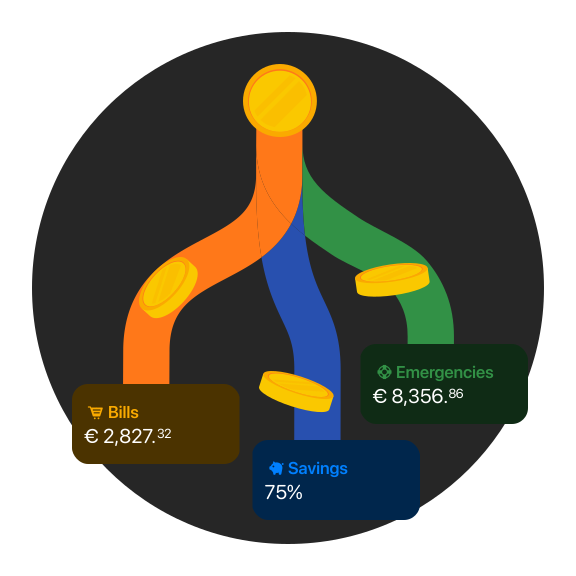
Split income, tax, payroll, subscriptions, and projects into separate Bank Accounts. On Pro or Elite Business, create up to 25 accounts, each with its own IBAN.
Give every budget its own account
Split income, tax, payroll, subscriptions, and projects into separate Bank Accounts. On Pro or Elite Business, create up to 25 accounts, each with its own IBAN.
Give every budget its own account
Split income, tax, payroll, subscriptions, and projects into separate Bank Accounts. On Pro or Elite Business, create up to 25 accounts, each with its own IBAN.

Choose your plan
Try any plan free for 30 days. After that, you pay for your chosen plan unless you change or cancel it. Cancel anytime, for free.
bunq Elite
€23.99
/month
Bank across borders with premium features for your business.
bunq Pro
€13.99
/month
Organize business finances and stay ready to grow.
bunq Core
€7.99
/month
Straightforward business banking for daily operations.
bunq Free
Free
Start for free
A simple account for getting your business started with bunq.
Bank Account questions answered
Find quick answers about opening accounts, creating IBANs, organizing money, and sharing access with your team.
How do I open a Business Bank Account with bunq?
Download the bunq app, tap Get Started, choose business signup, add your personal and company details, and complete identity verification. Finish any extra business questions we ask.
Our KYC team reviews your application and contacts you in-app if we need more.
Can I open multiple Savings Accounts?
Yes! With bunq Pro or bunq Elite, you can open up to 25 bank accounts, including multiple Savings Accounts with their own IBANs.
Name accounts for goals and group them so your savings stay easy to scan.
What company details do I need to open a business Bank Account?
Requirements depend on your legal form, think incorporation deeds, joint director mandates, shareholder registers, UBO statements, and ID for anyone with significant control.
Start Business signup to see the exact package for your entity; upload anything extra from the requests we send.
Why do I need a Personal Account with my Business Account?
Regulations require us to know who is behind each payment. You need a verified Personal account first, you can create it in the same signup flow, then access your Business account with your personal login.
What are the Business Account access levels?
Share Full Access, Make Payments, or View-only access with directors, staff, or your accountant. Each level controls which accounts they see and whether they can pay or only view.
How do I create and manage Bank Accounts?
On Home, tap Add an Extra Bank Account, choose the account type, name it, and get a dedicated IBAN. Open each account’s Settings to personalize, reorder, archive, or link cards.

Open your Business Account today
Create your first account in minutes, then add more Bank Accounts as your business needs grow.
Open your Business Account today
Create your first account in minutes, then add more Bank Accounts as your business needs grow.
Open your Business Account today
Create your first account in minutes, then add more Bank Accounts as your business needs grow.
Related articles
Explore related guides on payments, Bank Accounts, automations, and everyday business banking.
Related articles
Explore related guides on payments, Bank Accounts, automations, and everyday business banking.
Related articles
Explore related guides on payments, Bank Accounts, automations, and everyday business banking.